
“Is it worth buying a CNC wood router?”
We talk every week to woodworkers who are stuck in the same place:
- One customer used a $9,000 CNC router to turn a weekend Etsy side hustle into a full‑time income in 18 months.
- Another cabinet shop bought a 4×8 CNC wood router, never changed their workflow, and watched it sit in the corner like a very expensive table.
So which one will you be?
The truth is, a CNC wood router can be one of the best investments you ever make… or a fast way to burn $5,000–$20,000 if you buy for the wrong reasons.
In this guide, we’re going to give you a straight answer:
- When a CNC router is absolutely worth it (and pays for itself quickly)
- When it’s not worth buying — even if you can afford it
- The real CNC wood router cost in 2025, including software, tooling, and “hidden” expenses
- Concrete ROI examples from sign makers, cabinet shops, and serious hobbyists
At ChinaCNC, we’ve shipped over 5,000 CNC wood routers, so we’ve seen what actually works in real shops — not just on YouTube.
If you’re trying to decide whether to pull the trigger or keep your cash in the bank, keep reading. This will help you decide, with real numbers, whether a CNC wood router is worth it for you.
When a CNC Wood Router Is Worth the Money
Let’s be blunt: a CNC wood router is absolutely worth it in some shops and a terrible idea in others. The machine itself is the easy part. The real question is: will it pay you back fast, or just sit in the corner gathering dust?
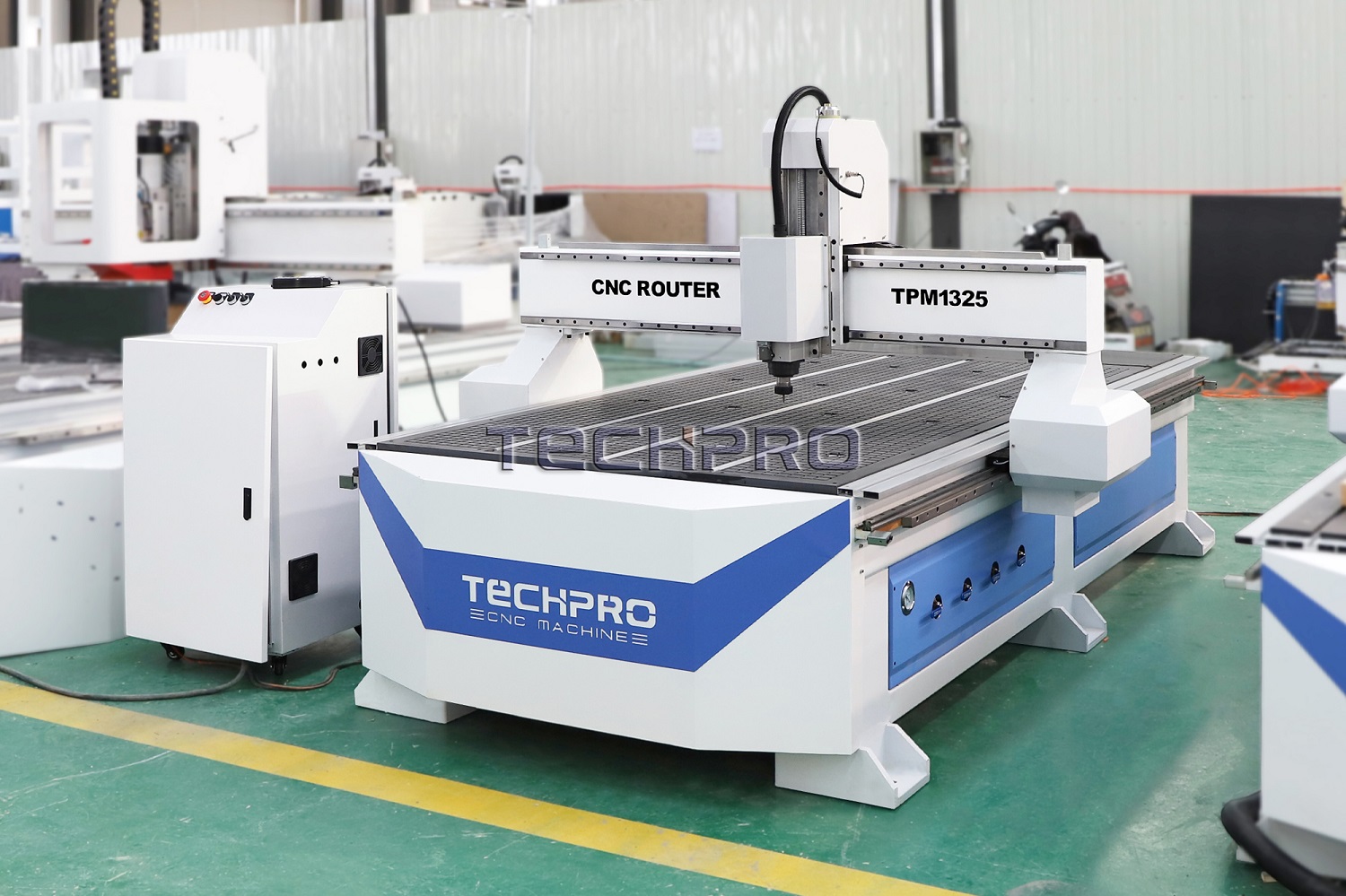
Below are the real-world situations where a CNC wood router earns its keep quickly—and a few warning signs that you should wait before you buy.
Real-World Scenarios Where CNC Pays Off Fast
A CNC router starts making sense when you’re already seeing one (or more) of these:
- You’re turning down work because you can’t keep up with cutting and routing.
- You repeat the same parts over and over—cabinet sides, drawer fronts, signs, panels, jigs.
- You hire out CNC work to other shops or online services.
- You’ve got pricing power in a niche: custom signage, cabinet packages, furniture components.
Typical cases where a CNC wood router pays off quickly:
- Cabinet shops drowning in layouts and cuts
- Cutting full sheets by hand is slow and exhausting.
- A 4×8 CNC router can handle panel cutting, dados, holes, and labeling in one program.
- If you’re installing every week but cutting every night, CNC is your missing employee.
- Sign and décor businesses with steady orders
- Personalized signs, wall décor, and logo panels are perfect CNC router projects.
- Once a design is programmed, you can rerun it in minutes.
- CNC lets you sell multiple variations of the same base design without extra layout time.
- Furniture builders repeating core designs
- If you build the same chair, table, or cabinet line again and again, CNC shines.
- Curved parts, joinery, and precise hole patterns are faster and more consistent on CNC.
- You can standardize parts and scale from “craftsman” to “small production” without losing quality.
In all of these, the CNC router isn’t a toy—it’s a production tool that directly replaces hours of manual layout, cutting, and routing.
How Repeat Orders and Backlogs Change the Math
Repeat orders are where CNC wood routers quietly print money.
If you:
- Keep getting asked for the same product (same size, same design, minor tweaks),
- Keep seeing backlogs for the same types of parts,
- Or have “regulars” who reorder similar items…
…then every additional order becomes faster and more profitable with CNC.
Why? Because with CNC:
- Design/CAM time is paid once, then reused.
- Setup becomes simpler and predictable.
- Parts drop off the table ready for sanding and finish, not hours of trimming.
The more repeat work you have, the shorter your CNC router payback period becomes. A backlog that currently feels like a headache can actually justify a $5,000–$20,000 machine surprisingly fast.
Why Time Savings on Repetitive Work Matter More Than You Think
Most people under-value their own time. That’s where CNC earns its keep.
Think about tasks you repeat constantly:
- Cutting the same cabinet parts
- Routing the same profiles
- Drilling the same hole patterns
- Laying out the same sign shapes by hand
With a CNC router:
- 1–2 hours of manual layout and cutting can drop to 10–15 minutes of machine time.
- You can run the CNC while you:
- Sand and finish other parts
- Assemble previous jobs
- Handle emails and customers
The real win isn’t just speed—it’s parallel work. While the CNC works, you’re free to do something else that makes money. That’s how a CNC router for woodworking goes from “nice tool” to full-time employee that doesn’t complain or call in sick.
When Online Sales Justify a CNC Router
If you’re selling on Etsy, Shopify, or at local markets, a CNC router can turn a side hustle into a real business—but only under the right conditions.
CNC makes sense for online sales when:
- You have proven products that are already selling (even small volume).
- Your biggest bottleneck is making enough inventory, not finding buyers.
- You can price your work with healthy margins after material + machine time.
Examples:
- Etsy/Shopify sign business
- Personalized names, logos, ornaments, home décor.
- CNC router + simple CAD/CAM = fast turnaround and consistent quality.
- You can batch 10–20 pieces per run instead of one at a time.
- Local market and craft shows
- Serving boards, engraved panels, custom gifts.
- CNC lets you preload designs and crank out “best sellers” in batches.
- Customization (names, dates, logos) becomes a quick edit, not an all-night job.
If you don’t have any sales yet and no idea what will sell, a CNC router might be overkill for now. Test demand first, then use CNC to scale what’s already working.
How Pro Shops Use CNC to Scale Cabinetry, Furniture, and Signage
Professional shops don’t buy CNC routers because they like gadgets. They buy them because:
- Labor is expensive
- Schedules are tight
- Quality control matters every single day
Typical pro use cases:
- Cabinet shops
- Use 4×8 or 5×10 CNC routers for nesting sheet goods.
- Cut, drill, and label parts in one cycle.
- Tie CNC output into cabinet software for full workflows (design → cut → assemble).
- Furniture and millwork shops
- Batch parts for chairs, tables, doors, and panels with repeatable accuracy.
- Use CNC for mortises, tenons, pockets, and curve cutting.
- Run short production runs without needing custom jigs every time.
- Sign shops
- Combine CNC routers with paint, vinyl, or laser for layered signage.
- Produce letters, 3D reliefs, and dimensional logos at scale.
- Use CNC to handle thick materials that lasers can’t.
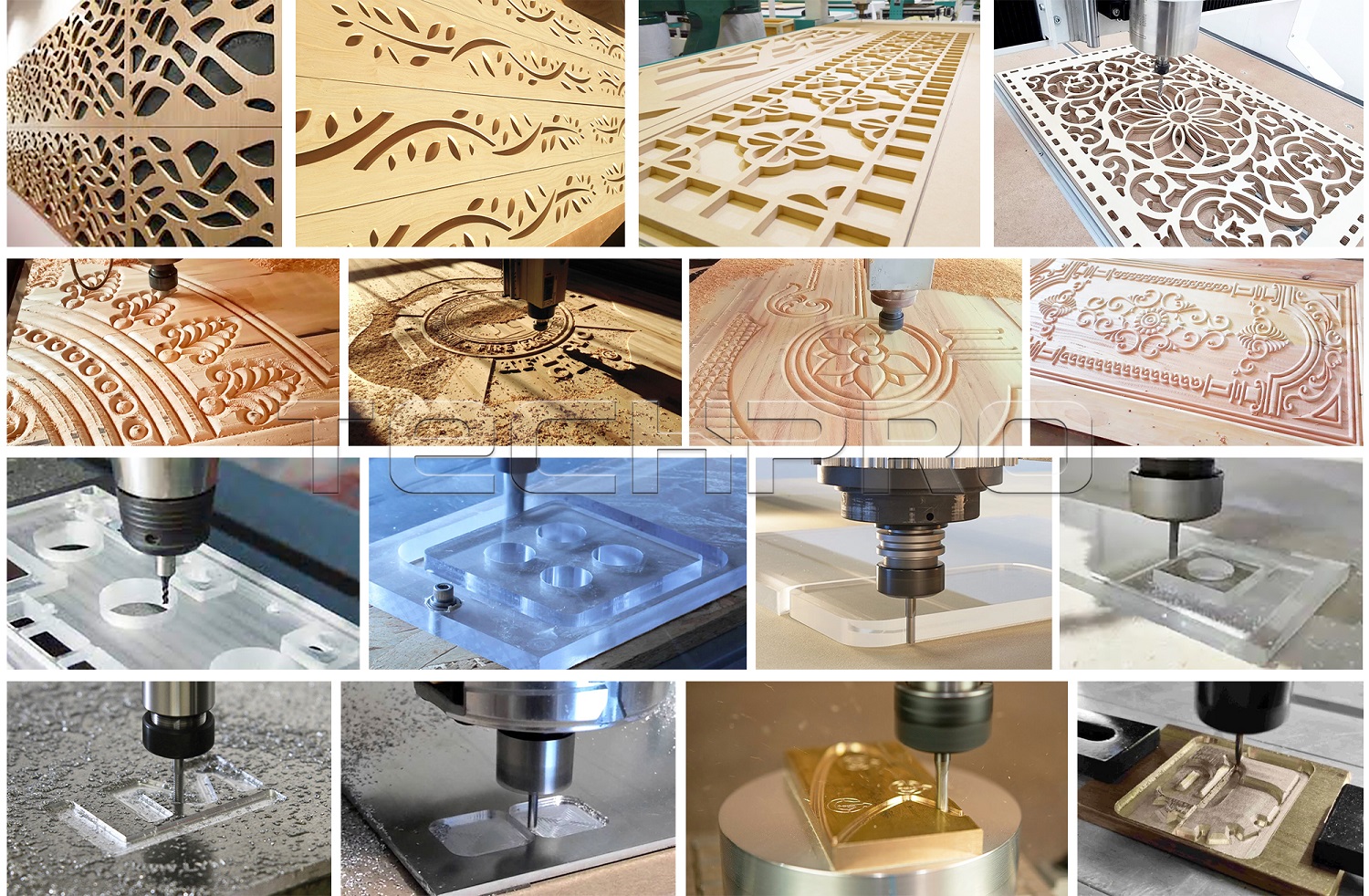
In these environments, CNC is standard equipment—like a table saw or an edge bander. It’s simply the most efficient way to turn digital designs into repeatable, profitable parts.
Red Flags That You’re “Almost Ready” but Should Wait
There are also clear signs that you’re not quite ready for a CNC wood router, even if you’re tempted:
- No clear product or service yet
- You like the idea of CNC, but you’re not sure what you’ll actually sell or make repeatedly.
- You just want to “experiment” with a $10,000 machine. That’s risky.
- No time to learn CAD/CAM
- If your schedule is already maxed out and you won’t invest in learning software, CNC will frustrate you.
- A CNC router is only as good as your ability to design and program parts.
- Cash is tight and you’re relying on instant payback
- If missing a couple of months of sales would crush you, slow down.
- You want some financial cushion for mistakes, learning, and initial setup.
- You hate computers and software
- You don’t have to be a programmer, but you do need to be comfortable with basic CAD/CAM.
- If that sounds miserable, you may never get full value out of the machine.
If a few of these hit home, it doesn’t mean “never.” It means wait, learn, and plan so that when you do invest in a CNC wood router, it pays you back instead of becoming an expensive lesson.
When a CNC wood router is worth the money, it’s because it solves a real production problem: backlogs, repeat work, slow cutting, or limited capacity. If you already have demand and repeat orders, the machine usually pays for itself faster than you expect. If you’re still figuring out what you want to do, treat CNC like a goal—not your starting point.
Situations Where a CNC Wood Router Is Probably Not Worth It

Pure Hobby Use: Why a $5,000–$20,000 CNC Router Usually Doesn’t Make Sense
If you’re mainly a weekend hobbyist, a big CNC wood router in the $5,000–$20,000 range usually isn’t a smart buy.
Here’s why:
- You’re not running production or filling paid orders, so there’s no real CNC router ROI.
- The machine will sit idle most of the week, but you’ll still carry the cost of the machine, bits, dust collection, and maintenance.
- For small projects, a router table, jigsaw, or basic desktop CNC wood router often covers 90% of what you want to do for a fraction of the price.
In this case, it’s “cool to have” but not a good business decision. Unless you truly don’t care about cost and only care about the experience, a high-end CNC router is overkill for pure hobby use.
One-Off Art vs Repeatable CNC Production
CNC routers shine when you cut the same or similar parts over and over. If your work is:
- Highly artistic and one-of-a-kind
- Mostly sculpted by hand, carved with chisels, or shaped intuitively
- Constantly changing in size, design, or style
then a CNC may not add as much value as you expect.
You’ll still spend time on:
- CAD design
- CAM (toolpaths, feeds, speeds)
- Setup and fixturing
For a single unique piece, that setup time can be longer than just doing it by hand. CNC really pays off when you can reuse files for repeatable CNC production—signs, cabinet parts, furniture components, templates, etc.
When Your CNC Budget Is Under $2,500
If your total budget (machine + bits + dust collection + software) is under $2,500, you’re in a tricky zone:
- Full-size 4×8 or even 4×4 CNC routers at this price are usually very light-duty.
- You risk downtime, poor accuracy, and frequent repairs, especially with the cheapest import machines.
- You still need to budget for:
- Router bits and tooling
- Dust collection
- Clamps/fixturing
- Possibly paid CAD/CAM software later
In this price range, it’s usually smarter to:
- Start with a desktop CNC wood router or a smaller, high-quality hobby machine.
- Or buy second-hand from a reputable brand with known support and replacement parts (if you go that route, approach cheap used or second-hand CNC machines carefully).
A low-quality full-size machine that constantly breaks will kill your interest and your profits fast.
No Time for CAD/CAM? That’s a Deal-Breaker
A CNC router is not a plug-and-play power tool. If you have zero time or patience for learning:
- CAD (drawing parts, signs, inlays, furniture components)
- CAM (generating toolpaths, feeds and speeds)
- Workholding and fixturing
- Basic troubleshooting
then a CNC router will frustrate you.
Realistically, expect:
- 20–40 hours just to feel “not lost” with CAD/CAM
- 50–100 hours before you’re comfortable running real jobs safely and efficiently
If your schedule is already packed and you can’t commit that learning time, a CNC router will sit in the corner collecting dust. You’re better off with traditional tools or outsourcing CNC work.
How to Test Your Commitment Before Buying a CNC Router
Before you drop serious money on a CNC wood router, pressure-test your interest and commitment:
- Play with software first
- Download a free or trial CAD/CAM program and design a few simple projects.
- If the software drives you crazy, the machine won’t fix that.
- Use online CNC services
- Design your part and pay a CNC shop to cut it for you.
- This shows you how much CNC woodworking really saves you in time and quality.
- Start small
- Try a desktop or hobby CNC first as a hobby CNC router upgrade path.
- Learn feeds, speeds, workholding, and file management on a smaller, cheaper machine.
- Run a “time audit”
- Look at your week: can you realistically carve out 3–5 hours consistently for learning and running projects?
- If not, you’re not ready yet.
- Experiment with project ideas
- List 10–20 products you’d make and sell with a CNC (signs, trays, furniture parts).
- Check pricing and competition on platforms like Etsy or local markets to see if a CNC router Etsy business even makes sense for you.
TechCNC will provide you with remote guidance throughout the process, enabling you to quickly master the use of the machine!
If you go through these steps and you still love the process, a CNC wood router starts to look like a smart investment. If you’re already feeling bored or overwhelmed, it’s not the right time to buy.
Full Cost Breakdown of Owning a CNC Wood Router
If you want to know whether a CNC wood router is worth it, you have to look past the sticker price. The real decision comes from understanding total ownership cost in year one and what you get back in return.

Typical CNC Wood Router Price Ranges (2025)
Here’s what you’re looking at for CNC wood router cost in 2025:
- Entry-level / desktop / hobby CNC routers
- Price: $800 – $3,000
- Size: small desktop or 2×2–2×4 machines
- Best for: beginners, light CNC router for home workshop, testing a CNC router side hustle
- Mid-range CNC routers (serious hobby & small business)
- Price: $4,000 – $15,000
- Size: 2×4, 4×4, some budget 4×8 machines
- Best for: CNC router Etsy business, custom sign shops, small woodworking business CNC router setups
- Industrial CNC wood routers (production)
- Price: $18,000 – $120,000+
- Size: 4×8, 5×10, larger; ATC CNC wood router, vacuum table, servo motors
- Best for: cabinet shops, furniture production, millwork, full CNC woodworking business plan
How Table Size & Build Quality Affect Price and ROI
Bigger and stronger costs more, but also earns more if you use it:
- Table size impact
- 2×4 or 4×4: lower cost, good for signs, small furniture parts, CNC router for home workshop
- 4×8 CNC router: the sweet spot for cabinet making, furniture panels, and sheet goods
- Typical 4×8 CNC router price: $10,000 – $40,000+ depending on components
- 5×10 and up: mainly for high-volume and industrial CNC wood router environments
- Build quality impact
- Heavier steel frame, good linear guides, and quality electronics reduce:
- Vibration (better cut quality)
- Downtime and repair calls
- Long-term CNC router maintenance cost
- Higher build quality usually gives better CNC router ROI woodworking because the machine runs faster and more reliably.
- Heavier steel frame, good linear guides, and quality electronics reduce:
If you want to dive deeper into what goes into a machine, check the core elements of a CNC machine like frame, motion system, and control—these drive both cost and performance.
Software Costs (CAD/CAM for CNC Woodworking)
You can’t run a CNC router without software. Plan for CAD (design) and CAM (toolpaths):
- Free / low-cost options
- Fusion 360 (personal/limited licenses)
- FreeCAD, Inkscape + CAM plug-ins
- Pros: low CNC woodworking startup costs
- Cons: learning curve, feature limitations, sometimes weaker for nested cabinet work
- Paid CAD/CAM for CNC routers
- VCarve Pro, Aspire, Cabinet-specific nesting software
- Typical cost: $300 – $2,500+ one-time, some with paid upgrades
- Pro: faster workflow, better nesting, easier CNC sign making machine workflows
- Con: upfront cash or annual subscription
Budget $0 – $2,000+ in year one depending on what you choose.
Tooling & Router Bit Costs (Year One)
Your CNC wood router is only as good as the bits you put in it:
- Starter tooling set
- End mills, compression bits, upcut/downcut bits, V bits, surfacing bit
- Initial spend: $200 – $600 for decent-quality bits
- Ongoing bit replacement
- Depends on:
- Work volume
- Material (MDF and plywood wear bits faster)
- Year-one total for most users:
- Light hobby: $100 – $200
- Small shop: $300 – $800
- Production: $1,000+
- Depends on:
Dust Collection, Compressor & Shop Setup
CNC routers make dust, chips, and noise. Plan for:
- Dust collection
- Small shop vac setup: $150 – $400 (not ideal for heavy use)
- Proper dust collector (1.5–3 HP): $500 – $1,500+
- Good dust shoe is a must for any CNC router for home workshop.
- Air compressor (if needed)
- For pneumatic clamps, ATC, or cleaning: $200 – $800
- Shop setup
- Electrical upgrades (220V circuits, extra outlets): $200 – $1,500
- Workholding (clamps, T-track, spoilboard material): $100 – $400
Total basic setup for most small shops: $500 – $2,500 on top of the machine.
Maintenance, Parts & Wear-and-Tear
Even the best CNC router needs care:
- Routine maintenance
- Lubrication, cleaning rails, checking belts/screws
- Mostly time, not money, but don’t ignore it
- Common replacement items
- Belts, bearings, drag chains, limit switches, vacuum pumps or routers/spindles (over long term)
- Year-one budget:
- Hobby / light use: $50 – $200
- Small business: $200 – $600
- Heavy production: $500 – $1,500+
A well-built machine from a solid industrial CNC wood router manufacturer will reduce surprise repair bills and downtime.
Electricity, Consumables & Operating Costs
Running the machine has ongoing costs:
- Electricity
- Small hobby CNC: maybe $5 – $15/month with light use
- Mid-range CNC in a small shop: $20 – $60/month
- Full production with vacuum pump & large spindle: $80 – $200+/month
- Consumables
- Sacrificial spoilboards (MDF): $50 – $200/year
- Sandpaper, finish, glue for CNC router projects: varies, but often $100 – $500+/year depending on output
First-Year Total Cost Comparison
Here’s a simple ballpark to frame CNC router ROI woodworking in year one:
| User Type | Machine Cost (Typical) | Setup & Accessories | Software | Tooling & Maintenance | Total Year-One Range |
|---|---|---|---|---|---|
| Hobbyist / beginner CNC wood router for home | $1,000 – $3,000 | $300 – $1,000 | $0 – $300 | $150 – $300 | $1,450 – $4,600 |
| Side hustle / small woodworking business | $4,000 – $12,000 | $800 – $2,500 | $300 – $1,500 | $400 – $1,000 | $5,500 – $17,000 |
| Full production shop (cabinet / furniture) | $20,000 – $80,000+ | $2,000 – $8,000 | $1,000 – $5,000 | $1,000 – $3,000+ | $24,000 – $96,000+ |
These numbers aren’t to scare you—they’re to give you a clear, honest picture of CNC router operating costs before you jump in.
Once you understand this full cost breakdown, it’s much easier to decide if a CNC wood router fits your budget, workload, and profit goals.
CNC Router ROI and Payback Period
If you’re asking “Is it worth buying a CNC wood router?”, you’re really asking about ROI and payback time. Let’s break it down in plain, business-first terms.
How to Calculate CNC Router ROI in Simple Terms
Keep it simple. Your CNC router ROI for woodworking comes from one basic formula:
Annual Profit from CNC / Total CNC Investment = ROI
Where:
- Total CNC Investment (Year 1) ≈
Machine + shipping + software + tooling + dust collection + setup costs - Annual Profit from CNC =
(Average profit per job × Number of jobs per year) – extra operating costs
Quick rule of thumb:
- If the machine pays for itself in 12–24 months, it’s usually a great investment.
- Over 36 months payback is borderline unless it’s a core production machine.
CNC Router Profit Examples for Signs and Decor
For a CNC sign making business or Etsy/Shopify store, the numbers can be very strong if you focus on repeatable designs.
Example for custom signs/home decor:
- Average selling price: $80 per sign
- Material + finish cost: $20
- Net profit per sign: $60
- Time on CNC (including setup): ~20–30 minutes
If you produce 10 signs a week:
- Weekly profit: 10 × $60 = $600
- Monthly profit: ≈ $2,400
- Yearly profit: ≈ $28,800
If your full CNC woodworking startup costs are $8,000:
- Payback period: $8,000 / $2,400 ≈ 3.3 months
Even if you only manage 5 signs per week, you’re still looking at payoff in under a year. This is why a CNC wood router is so popular for Etsy, local markets, and personalized decor.
Payback Timeline for Cabinet and Furniture Shops
For a cabinet shop or furniture production, a CNC router often pays for itself through:
- Faster cutting and drilling of sheet goods
- Reduced labor costs
- Fewer mistakes and rework
- Better nesting and material savings
Example for a small cabinet shop:
- Labor saved: 20 hours/week that you no longer spend cutting/drilling
- Labor rate (or your own time value): $30/hour
- Weekly savings: 20 × $30 = $600
- Extra jobs you can now take on: +1 small kitchen/month
- Profit per extra job: $1,500
Total monthly CNC impact:
- Labor savings: ≈ $2,400
- Extra profit from more jobs: ≈ $1,500
- Total gain: ≈ $3,900/month
If your 4×8 CNC router price + setup is $25,000:
- Payback period: $25,000 / $3,900 ≈ 6–7 months
Even at half these gains, cabinet and furniture shops can usually hit payback in 12–18 months, especially when using a capable CNC router for cabinet making and furniture production rather than a light hobby machine.
Transitioning from Hobby to CNC Wood Router Business
If you’re a hobbyist, you don’t have to jump straight into a $20,000 machine. A smart path:
- Start with sales, not the machine
- Validate product ideas: signs, decor, small furniture, gifts
- Get real orders from friends, local markets, or simple Etsy listings
- Use manual tools or outsourced CNC
- Rent time at a local makerspace or pay another CNC shop
- This tells you if you enjoy the process and if the market responds
- Upgrade once you’re turning down work
- When you’re consistently backlogged or rejecting orders, the ROI on your own CNC router becomes obvious
- Treat it like a business
- Track material, time, and profit per job
- As soon as your monthly net profit could cover a CNC payment, you’re ready to move from hobby to business
If you want to compare CNC routing with other cutting options long term, it’s worth understanding how a router differs from a milling machine using a clear guide like this CNC router vs milling machine comparison.
Simple CNC Router ROI Calculator Walkthrough
Here’s a straightforward way to estimate your CNC router payback period:
- Step 1: Add up Year 1 costs
- CNC wood router: $X
- Shipping and install: $Y
- Software licenses: $Z
- Bits, clamps, fixtures: $A
- Dust collection and power upgrades: $B
- Training/time off work: $C
Total investment = X + Y + Z + A + B + C
Contact our sales team to calculate the latest total price for your machine!
- Step 2: Estimate monthly profit from CNC
- (Average profit per job) × (Jobs per month)
– (Extra operating costs per month)
- (Average profit per job) × (Jobs per month)
- Step 3: Payback time
- Payback months = Total investment ÷ Monthly profit
- Step 4: Adjust with realistic order volume
- Run the numbers for:
- “Slow” month
- “Normal” month
- “Busy” month
- Run the numbers for:
If it only makes sense in “dream scenario” months, your plan is risky. If even your conservative estimate pays back within 24 months, your CNC router ROI is usually solid.
How Order Volume and Pricing Change Payback Time
Two levers drive CNC payback:
- Order volume (how many jobs you do)
- Doubling your order volume can almost cut your payback time in half
- But don’t assume unlimited demand—base it on actual sales or realistic marketing plans
- Pricing and margins
- Underpricing your work kills CNC profits
- You need healthy margins to cover:
- Machine payments or financing
- Software and subscriptions
- Tooling, electricity, shop rent, your own time
Example:
- Profit/job: $50 vs $80
- Jobs/month: 40
At $50 profit: $2,000/month
At $80 profit: $3,200/month
If your total investment is $10,000:
- At $50 profit: 10,000 ÷ 2,000 = 5 months
- At $80 profit: 10,000 ÷ 3,200 ≈ 3.1 months
Pricing discipline matters more than most new CNC owners think.
Common Mistakes That Delay CNC Router ROI
Here are the issues I see that wipe out CNC woodworking profitability:
- Buying too big, too early
- A 5×10 industrial CNC wood router with ATC is great—but not if your actual orders can’t pay for it.
- No time to learn CAD/CAM
- The learning curve CNC router owners face is real. If you can’t dedicate consistent hours to design and CAM, your machine sits idle.
- Ignoring marketing and sales
- A CNC router doesn’t bring customers by itself. No website, no social media, no local partnerships = slow payback.
- Undercharging “because I’m new”
- You must price based on value and costs, not insecurity. Low prices lead to high workload and low ROI.
- Poor material planning and nesting
- Wasting sheet goods kills your margins. Good nesting and planning software (or careful manual nesting) is key.
- Buying the cheapest machine and losing time to downtime
- A very cheap “China CNC wood router” can work, but if parts, support, and reliability are poor, the downtime often costs more than the money saved upfront. Always check real China CNC wood router reviews and support options.
- Never tracking numbers
- You can’t improve what you don’t measure. Track:
- Time per job
- Tool wear
- Scrap rate
- Profit per order
- You can’t improve what you don’t measure. Track:
When you approach your CNC router as a business tool, not just a cool machine, the ROI and payback period become very clear—and usually very attractive.
Manual Woodworking vs CNC Router
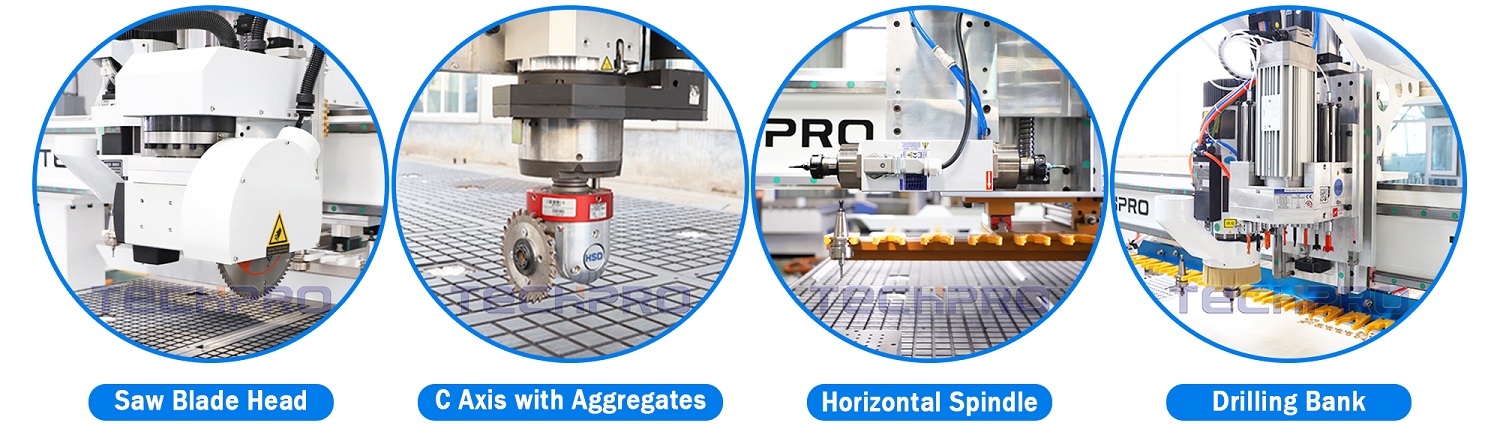
When people ask “Is it worth buying a CNC wood router?”, this is usually what they really want to know: Is it actually better than doing everything by hand? Let’s break it down in real, practical terms.
Side‑by‑Side Time Comparison (Real Projects)
Here’s a rough time comparison for common woodworking jobs, assuming you already know your tools:
| Project | Manual tools (layout + cutting) | CNC wood router (CAD/CAM + cutting) |
|---|---|---|
| Simple 300×200 mm sign (1 pc) | 45–60 min | 25–35 min |
| 10× identical signs | 6–7 hours | 1.5–2 hours |
| 4 cabinet doors (panel + profile) | 3–4 hours | 45–60 min |
| 4×8 sheet of parts (cabinet) | 2–3 hours | 20–40 min |
| Complex inlay / 3D relief panel | 1–2 days | 2–4 hours |
Manual is often fine for one‑off pieces. As soon as you repeat anything (doors, signs, parts, jigs), the CNC wood router wins on time every single day.
Labor Cost Savings: Manual vs CNC Routing
If you’re paying yourself or staff even $20–$40/hour, time really is money.
With a CNC router:
- One person can:
- Load a sheet
- Run the program
- While the machine cuts, start sanding, edge banding, or packing
- Your effective hourly output easily doubles or triples compared to standing at a table saw and router table all day.
- On cabinetry or sign work, it’s common to see 30–60% labor savings for cutting and routing alone.
For a small shop, this is exactly how you pay off a CNC router:
less time per job, more jobs out the door, with the same or fewer people.
Material Savings From Nesting and Accuracy
A CNC wood router doesn’t “eyeball” anything. That alone saves money:
- Better nesting of parts on plywood/MDF:
- Tighter spacing
- Cleaner inside corners and cutouts
- Less scrap per sheet
- Repeatable accuracy:
- Fewer mis‑cuts
- Fewer “do over” panels because of 1–2 mm mistakes
- Smarter toolpaths:
- Optimized cuts mean less wandering, less
Hidden Costs and Common CNC Router Regrets

The real CNC router learning curve
Most people underestimate the learning curve more than the CNC wood router cost.
To get comfortable (not expert) with a CNC wood router, expect:
- 20–40 hours to learn basic CAD/CAM and run safe test cuts
- 40–80 hours to feel confident with toolpaths, feeds/speeds, and different woods
- 100+ hours to dial in efficient workflows for real customer orders
If you have no time or patience for design software, file prep, and test runs, a CNC router will feel like a burden instead of a profit tool. That’s a common regret.
Space, dust, and noise in a home shop
A CNC wood router is not a quiet desktop toy. Even a “small” CNC machine for a garage shop brings:
- Space demands – machine footprint + room to load sheets + walking space
- Serious dust – routers and spindles throw fine dust everywhere without a good dust shoe and collector
- Noise – even with a spindle (quieter than a trim router), the cut plus dust collection is loud
If you work in a small garage or basement, plan for:
- A real dust system (not just a shop-vac)
- Ear protection and possibly time-of-day limits
- Good ventilation if you cut MDF or plywood regularly
Using a vacuum clamping system on a CNC machine can help with workholding and dust control, but it adds cost and needs a decent compressor or vacuum pump.
Cheap import machines and downtime
A lot of regret stories start with: “I bought the cheapest Chinese CNC router I could find…”
Common issues with low-end, poorly supported machines:
- Electronics failures (controllers, drivers, power supplies)
- Inconsistent accuracy from weak frames and poor linear motion parts
- No real support – emails unanswered, no replacement parts locally
- Weeks of downtime waiting for components or trying to debug wiring
Some ChinaCNC wood router reviews are good, but the bad ones usually come from buyers who:
- Didn’t check after-sales support or warranty
- Didn’t verify real user references
- Bought purely on lowest price and big specs on paper
If the machine is down, your CNC router ROI drops to zero.
Software subscriptions and upgrade traps
The CNC wood router is only half the system. CAD/CAM software can become a hidden monthly bill.
Watch out for:
- Design software that looks cheap but is subscription only
- “Lifetime” licenses that require paid upgrades for basic features
- Per-seat licensing if you run multiple PCs
You can start with free or low-cost software, but for a serious small woodworking business, you may end up on paid tools. Budget $300–$1,500 per year if you need advanced nesting or 3D work.
Fixturing, workholding, and setup time
Many new users assume you just drop wood on the table and hit Start. In reality, workholding and setup can take more time than the cut:
- Designing and building jigs and fixtures
- Clamping or vacuum workholding layout
- Probing or zeroing each workpiece
- Running test passes to avoid scrap
If you underestimate those steps, you’ll be frustrated with “slow” jobs, even though the machine is actually cutting fast. This is where nesting, good workholding, and the right CNC machine bits pay off in real productivity.
Regrets: too small, too cheap, or too complex
Most CNC router regrets fall into three buckets:
- Too small
- Bought a desktop CNC wood router, then realized you need 4×8 sheet capacity
- Constant tiling, re-zeroing, and wrestling with oversized panels
- End up selling at a loss and buying again
- Too cheap
- Flexy frame, inconsistent cuts, poor repeatability
- No local support, questionable electronics and wiring
- “Upgrade” spiral: new spindle, new controller, new rails – spending what a better machine would have cost from day one
- Too complex
- Industrial-level ATC CNC wood router with servo motors, advanced controls
- But your work is simple signs, panels, or basic furniture parts
- You never use 70% of the features, and the machine feels intimidating
The sweet spot is a solid, stable machine that fits your real work, not your dream Instagram project list.
How to avoid CNC buyer’s remorse
Before you spend a dollar, be brutally honest about:
- Time – Can you commit at least 5–10 hours per week for the first 2–3 months to learn?
- Space – Do you truly have room for the machine, dust collection, and material handling?
- Work – Do you have repeatable products, or are you just “curious”?
- Budget – Can you afford the machine plus dust collection, bits, software, and some repairs?
- Support – Are you buying from a manufacturer that offers real support, training, and parts?
A simple checklist to test yourself:
- Start learning CAD/CAM now using free trials
- Price dust collection, bits, and electrical upgrades before buying
- Visit a local shop or maker using a CNC wood router and watch their workflow
- Run real profit calculations on 2–3 products you could sell
If you do this honestly, you’ll know quickly whether a CNC wood router is worth it for you—before you swipe the card.
Choosing the Right CNC Wood Router Size and Specs

If you want your CNC wood router to actually make money (and not just take up floor space), size and specs matter more than the brand sticker. Here’s how I look at it when helping customers pick a machine.
Matching CNC Router Table Size to Your Work
Start with your largest regular project, not the “maybe one day” job.
Common CNC wood router sizes:
| Table Size | Best For | Notes |
|---|---|---|
| 2×4 ft | small signs, decor, guitars, small furniture parts | Great for home shops; low power, low footprint |
| 4×4 ft | signs, cabinet parts cut in halves, prototypes | Good step up from desktop; still compact |
| 4×8 ft | standard sheet goods, cabinet making, doors | Sweet spot for most small shops; full sheet nesting |
| 5×10 ft | high-volume cabinets, doors, panels, production | For full-time production and large factories |
Quick rules:
- If you work a lot with sheet goods (plywood, MDF) → go 4×8 or bigger.
- If you build cabinets, closets, wall panels → a 4×8 CNC router is almost mandatory.
- If you only do small signs, gifts, inlays → 2×4 or 4×4 is enough and cheaper.
- Always measure your doorways and ceiling. A 4×8 or 5×10 frame is big and heavy.
How Your Projects Should Drive Size Choice
Think about what you cut weekly, not once a year:
- Sheet goods:
- Full sheet nesting = less waste, faster cutting.
- If you’re breaking down sheets by hand first, you lose most of the CNC advantage.
- Doors and furniture parts:
- Interior doors, long tabletops, bed rails → 4×8 or 5×10.
- Small tables, drawer fronts, panels → 4×4 can work.
- Sign making & decor:
- Mostly under 24″ x 36″? A 2×4 ft CNC wood router is plenty.
- Commercial signage and big lettering → 4×4 or 4×8 gives you flexibility.
Spindle Power: What It Actually Changes
Spindle size is about speed, cut quality, and material flexibility.
| Spindle Power | Typical Use | What You Get |
|---|---|---|
| 1.5–2.2 kW | hobby, light cutting, softwood, plastics | OK for small shops, slower in hardwood or thick cuts |
| 3–4.5 kW | cabinets, furniture, daily use | Strong sweet spot for most woodworking businesses |
| 5.5–9 kW | industrial use, full-time production | High feed rates, heavy tools, thick materials |
In real work:
- Higher power lets you cut faster, use bigger bits, and handle hardwoods and composites without burning or stalling.
- For a small business, I usually recommend at least 3 kW.
- If you’re planning serious cabinet or furniture production, go 4.5 kW+.
When an ATC (Automatic Tool Changer) Is Worth It
Automatic tool changer (ATC) CNC routers cost more, but in the right shop they pay for themselves.
ATC is worth it if:
- You run multiple tools per job (e.g., drill, profile, pocketing, engraving).
- You do batch production of cabinets, furniture, or signs.
- You hate constant manual tool changes and re-zeroing.
ATC is usually overkill if:
- You’re a pure hobbyist doing low-volume projects.
- You mostly run 1–2 tools and don’t change them often.
If you run a busy shop, the time savings from ATC can be huge over a year.
Servo vs Stepper Motors: Accuracy and Speed
This choice affects precision, speed, and reliability.
| Motor Type | Pros | Cons | Best For |
|---|---|---|---|
| Stepper | cheaper, simple, fine for slower work | can lose steps, slower rapids, louder | hobby, light commercial |
| Servo | faster, more accurate, closed-loop feedback | higher cost, more complex | pro shops, production |
My rule of thumb:
- Side hustle / small shop with modest volume: high-quality stepper system is usually enough.
- Full-time production or tight tolerance work (cabinetry, joinery): servo motors are worth the upgrade.
Features That Actually Matter in 2026
These options are not “nice to have” anymore – they’re what make a CNC wood router efficient and profitable.
1. Vacuum table (or at least strong workholding)

- Huge for sheet goods and nesting.
- Faster setup, better cut quality, safer cutting.
- If you don’t go full vacuum table, at least plan for T-tracks, clamps, or dedicated jigs.
For cutting accuracy and repeatability, use methods similar to what’s discussed in resources on CNC machining accuracy.
2. Good dust shoe + dust collection

- Protects your lungs, machine, and shop.
- Cleaner cuts, less cleanup.
- Non-negotiable if you cut MDF or run the CNC daily.
3. Reliable controls (controller + software)
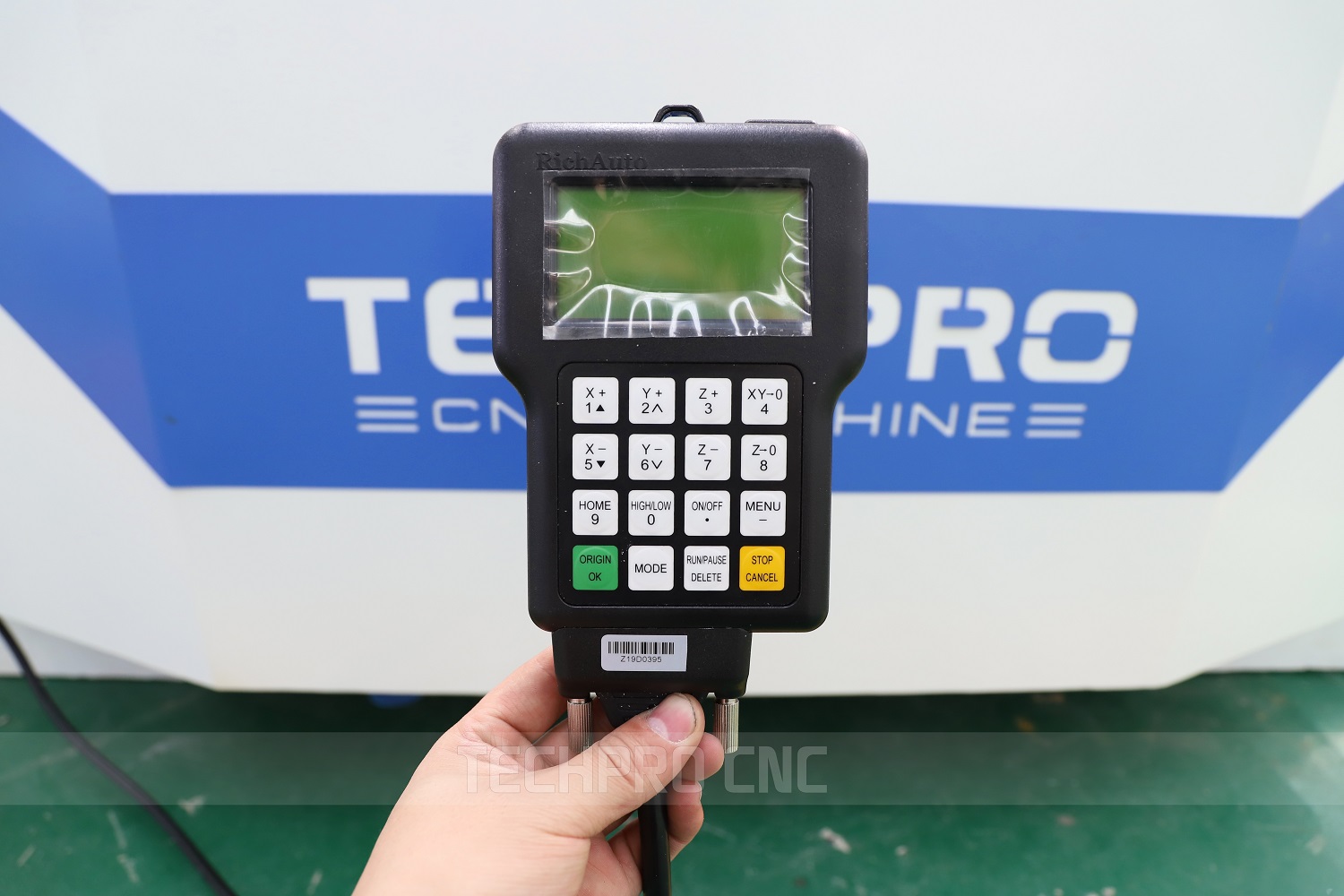
- Stable controller with a clear screen and logical menus.
- Support for common CAD/CAM post processors.
- Avoid “mystery” controllers with poor documentation.
Specs That Look Cool but Don’t Matter Much in Real Shops
There are plenty of flashy specs that won’t put more money in your pocket:
- Crazy high maximum feed rates you’ll never safely use in wood.
- Hyper-fine resolution numbers that sound impressive but don’t change your cut quality.
- Overcomplicated “pro” features you won’t touch in the first 2–3 years.
- Marketing terms with no clear benefit (custom “ultra rigid” names without real specs).
Focus on:
- Solid frame and gantry (no flex).
- Realistic table size for your work.
- Enough spindle power for hardwood and extended use.
- Reliable electronics and support.
In short: choose the smallest table that handles your real work, with enough spindle and motor power to grow into, not out of. The right size and specs will do more for your CNC router ROI than any fancy add-on.
Practical CNC Wood Router Buyer Checklist
If you’re about to drop $5,000–$20,000 on a CNC wood router, you need a clear checklist. Below is the exact process I recommend before you sign anything or swipe a card.
Key questions before you spend $5,000–$20,000
Ask yourself, honestly:
- What will I actually cut, and how often?
(Cabinets daily, signs on weekends, or “when I have time”?) - Do I have a clear plan to earn with the machine?
Local cabinet work, CNC sign making, Etsy/Shopify, B2B work, or strictly hobby? - How much space do I really have?
Measure for the machine, dust collection, material handling, and safe walking space. - How noisy and dusty can my shop be?
Apartment/garage vs industrial unit matters a lot. - How many hours per week can I invest in learning CAD/CAM and CNC?
Under 3 hours a week = expect a slow start. - What’s my real budget including setup, not just the machine?
Factor in bits, dust collection, power upgrades, clamps, software, etc. - What’s more important to me: speed, accuracy, or versatility?
Your answer drives table size, spindle power, and motor type.
Minimum power, size, and features by user type
You don’t need a monster machine for every use case, but you do need “enough”:
For hobby / weekend use (under $5k–$8k total):
- Table size: ~2×4 ft or 4×4 ft
- Spindle/router: 1.5–2.2 kW (or 2–3 hp)
- Motors: Quality stepper motors are fine
- Must-have features:
- Rigid frame
- Reliable motion system (prefer ball screws over cheaper drive options – you can see the difference in precision vs cost in our breakdown of ball screw vs ACME screw systems)
- Limit switches, e-stop
- Basic dust shoe
For side hustles / small woodworking business:
- Table size: 4×4 ft minimum; 4×8 ft if you use sheet goods
- Spindle: 2.2–4 kW (3–5 hp), water- or air-cooled
- Motors: Good steppers, or servos if you want faster, smoother production
- Must-have features:
- Solid welded steel frame
- Ball screw or rack-and-pinion on long axes
- Controller with offline capability (don’t rely only on a laptop)
- Decent dust collection, basic vacuum or strong clamping
For full-time cabinet/furniture/sign production:
- Table size: 4×8, 5×10, or larger
- Spindle: 4–9 kW industrial spindle
- Motors: Servo motor system for speed and accuracy
- Must-have features:
- Heavy industrial frame and linear guides
- Vacuum table or strong pod clamping
- ATC (automatic tool changer) if you run multiple tools per job
- Reliable controller with good nesting and production features
Build quality, frame, and components to look for
You can tell a lot about a CNC router by how it’s built:
- Frame & gantry:
- Heavy, welded steel frame > thin aluminum or bolted hobby frames
- Minimal flex if you push at the corners of the gantry

- Motion system:
- Ball screws or quality rack-and-pinion on long axes
- Branded linear guides and bearings (Hiwin, etc.) are a plus
- Spindle:
- Real power rating, not “marketing watts”
- ER collets, smooth bearings, low noise for the power level
- Electronics:
- Clean wiring, labeled components, proper grounding
- Branded drivers, VFD, and power supplies
- Safety & usability:
- E-stop, limit switches, clear access to wiring and controls
- Easy access for maintenance
If a machine looks like a toy, is ultra-light, or the wiring looks messy, treat that as a red flag, especially for “cheap Chinese CNC router” offers with no clear support or parts backing.
Warranty, support, and training
CNC machines are not “plug and play.” When something goes wrong, support is everything.
- Warranty basics to ask for:
- Frame: at least 2–5 years
- Electronics, motors, spindle: 1 year minimum
- Clear policy on what is and isn’t covered
- Support questions:
- Do you offer remote support (video, chat, phone) in my time zone?
- How fast are parts shipped if something fails?
- Do you have real technicians or just sales reps reading scripts?
- Training:
- Do you provide onboarding sessions (online or in person)?
- Access to video tutorials and sample projects?
- Help with initial CAM posts and machine setup?

For more complex or custom setups, it’s worth looking at how a manufacturer handles custom CNC machine design and integration in existing shops, like we outline in our approach to custom CNC machine design. Good engineering thinking here usually means better support overall.
Questions to ask any CNC router manufacturer
Before you choose a CNC wood router supplier (including us), ask:
- What are your most common failure points and how do you handle them?
- Which components are standard and replaceable locally?
- What CAD/CAM software do your customers actually use with this controller?
- Do you have real customer references in my country/region?
- Can I see a full sample project (file → cut → finished part) with my material?
- How long does shipping and installation typically take?
- Who is my support contact after purchase, and how do I reach them?
If a supplier dodges these questions, expect problems later.
Test software and workflow before you commit
The CNC hardware is only half the story. The software and workflow decide if you’ll love or hate the machine.
- Download trial versions of CAD/CAM software (Vectric, Fusion 360, etc.).
- Design a simple real project: a sign, a cabinet part, a jig you actually need.
- Generate toolpaths, simulate them, and make sure you understand:
- Tool selection
- Feeds and speeds
- Work zero / origin
- Tool changes (if any)
- Ask the manufacturer for a post-processor and see if your software supports their controller.
- If possible, send your file to the supplier and ask them to:
- Run it on their demo machine
- Send you photos or video of the cut piece
If the workflow feels confusing during testing, it won’t magically get easier after you pay.
Financing, leasing, and cash-flow planning
A CNC wood router can pay for itself, but only if your cash-flow plan is realistic.
- Estimate your monthly CNC profit potential:
- Average profit per job (not revenue)
- How many jobs you can realistically complete per month
- Seasonality (holidays, slow seasons)
- Compare to your payment:
- Monthly finance/lease payment
- Insurance, rent, utilities if applicable
- Cash-flow rules of thumb:
- Don’t let the CNC payment exceed what you can cover from existing income for at least 3–6 months.
- Keep extra budget for unexpected CNC router maintenance cost (spindles, drivers, bits).
- Financing options to consider:
- Bank or equipment loans
- Leasing (higher total cost, but lower monthly burden)
- Using existing profit from a side hustle to step up from a desktop CNC wood router to a full-size unit
If the numbers only work in a “best case scenario,” you’re not ready yet. The right CNC router should stretch you a bit, but it shouldn’t put your entire business or household at risk.
Use this checklist as a filter: if a machine, supplier, or plan doesn’t pass these questions, keep looking.
Best CNC Wood Router Options for Different Budgets
If you match the CNC wood router to your budget and workflow from day one, you save money and hit ROI faster. Here’s how I’d break it down in 2025.
Entry‑Level CNC Wood Routers for Beginners & Hobbyists
If you’re new to CNC or only cutting a few hours a week, start small and simple.
Best for:
- Learning CAD/CAM and CNC basics
- Small signs, decor, templates, inlays
- Light production for gifts and small Etsy tests
Typical specs & price (desktop / small format):
| Level | Work Area | Spindle/Router | Price Range (USD) | Ideal Use |
|---|---|---|---|---|
| Hobby desktop | 300×300–600×900mm | Trim router / 0.8–1.5 kW | $800–$2,000 | Learning, small signs, craft items |
| Light “garage” CNC | 600×900–1200×1200mm | 1.5–2.2 kW | $1,500–$3,500 | Hobby + side hustle test projects |
What to look for:
- Rigid frame (no wobbly aluminum extrusions)
- Supported rails, not just V‑wheels
- Common controller and post processor (easier tutorials and support)
- Active user community and clear documentation
If you’re not sure you’ll stick with CNC, a solid hobby CNC wood router is the safest way to test your commitment before jumping to a 4×8.
Mid‑Range CNC Routers for Side Hustles & Small Shops
This is where a CNC router starts to become a serious business tool.
Best for:
- Etsy / Shopify sellers with regular orders
- Small sign shops, boutique furniture, and custom decor
- Cabinet shops cutting a few kitchens per month
Typical specs & price (small to mid table):
| Level | Work Area | Spindle Power | Price Range (USD) | Typical Work |
|---|---|---|---|---|
| Pro small | 900×1200–1300×2500mm | 2.2–3.2 kW | $3,500–$8,000 | Signs, furniture parts, small cabinets |
| Shop workhorse | 1300×2500–1500×3000mm | 3.2–4.5 kW | $8,000–$15,000 | Cabinets, furniture, production signs |
Key upgrades worth paying for here:
- Real spindle (not a hand router) with VFD
- Better motion system (rack & pinion, ball screws on Z)
- Decent dust shoe and basic dust collection
- Reliable controller with good post support
If you’re planning a serious CNC woodworking side hustle, treat this level as your starting point. A solid mid‑range CNC machine will also pair well with other shop gear like a sliding table saw for small shops once you move into full cabinet or furniture production.
Industrial CNC Wood Routers for Full‑Time Production
Once you’re running daily jobs and downtime costs real money, step up to industrial CNC.
Best for:
- Full‑time cabinet shops and millwork
- Furniture production lines
- High‑volume sign and panel processing
Typical specs & price (industrial):
| Level | Work Area | Spindle | Price Range (USD) | Typical User |
|---|---|---|---|---|
| Heavy‑duty 4×8 | 1300×2500mm | 4.5–6.0 kW | $15,000–$30,000+ | Established shops, daily production |
| Large 5×10 / dual | 1500×3000mm+ | 6.0 kW+ / ATC | $30,000–$80,000+ | High‑volume millwork & factories |
What makes them “industrial”:
- Heavy steel frame and high weight (much less vibration)
- Servo motors, higher speeds, better accuracy
- Automatic tool changer (ATC) for multi‑bit jobs
- Vacuum table for fast sheet loading and reliable hold‑down
If you’re cutting sheet goods every day and paying employees, an industrial CNC router is usually cheaper than “saving money” on a light machine that can’t keep up.
4×8 CNC Router Recommendations & Typical Price Ranges
A 4×8 CNC wood router is the sweet spot for full sheet processing.
Who needs a 4×8 CNC:
- Cabinet and closet shops
- Interior fit‑out and millwork companies
- Furniture makers using full plywood and MDF sheets
2025 price guide for 4×8 CNC wood routers:
| Type | Price Range (USD) | What You Get |
|---|---|---|
| Budget 4×8 (import) | $8,000–$15,000 | Basic machine, manual tool change, steppers |
| Mid‑pro 4×8 | $15,000–$25,000 | Strong frame, better electronics, 4.5 kW+ |
| ATC 4×8 production | $25,000–$50,000+ | ATC, servos, vacuum table, high duty cycle |
If your main work is cutting nested cabinet boxes, drawer parts, and doors, a 4×8 with nesting‑friendly software (even entry nesting or simple CNC wood router programming tools) will pay for itself faster than you think.
Best CNC Models for Etsy Sellers & Custom Sign Makers
For Etsy and custom sign work, you don’t need a huge machine, but you need reliability and good detail.
Look for:
- Work area around 600×900mm or 900×1200mm
- 1.5–2.2 kW spindle for hardwoods and plastics
- Accurate Z‑axis for V‑carving and 3D reliefs
- Easy workflow from design file → CAM → machine
Rough budget for an Etsy‑focused CNC setup (2025):
| Item | Budget Range (USD) |
|---|---|
| CNC wood router (desktop/small) | $1,500–$4,000 |
| Bits & tooling (first year) | $200–$600 |
| CAD/CAM software (if paid) | $0–$1,200 |
| Dust collection (basic) | $200–$800 |
If your sign pricing and order volume are right, this level can support a strong side hustle and eventually justify upgrading to a 4×4 or 4×8 machine.
Best CNC Machines for Cabinet, Furniture & Millwork Shops
Cabinet and furniture production needs more table, more power, and more uptime.
For cabinet shops:
- Minimum: 4×8 table, 3.2–4.5 kW spindle
- Vacuum table highly recommended
- Tool rack or ATC to swap between drill, end mill, and chamfer bits
For furniture and millwork:
- Enough X/Y to handle long rails, table tops, doors
- Strong Z‑axis to handle thicker parts and 3D shapes
- Reliable dust collection and chip evacuation for hardwoods
Typical budget ranges:
| Shop Type | Table Size | Recommended Budget (USD) |
|---|---|---|
| Small cabinet shop | 4×8 | $15,000–$30,000 |
| Growing millwork | 4×8–5×10 | $25,000–$50,000+ |
| Furniture factory | 5×10+ / cell | $40,000–$80,000+ |
If your crew still spends hours per week on manual panel processing, a good CNC router for cabinet making usually has one of the fastest payback periods in the entire shop.
How to Plan an Upgrade Path Without Wasting Money
The biggest money sink is buying three machines when you only needed two. Plan the path:
Step 1 – Prove the concept (Entry‑level)
- Start with a reliable hobby or small pro CNC
- Validate your product, market, and workflow
- Learn CAD/CAM and fixturing on a cheaper machine
Step 2 – Move to a production‑capable machine (Mid‑range / Pro)
- Upgrade when:
- You’re booked out and turning down work
- Machine run time is the bottleneck, not sales
- Avoid “sideways” upgrades (slightly bigger, same quality)
Step 3 – Go industrial when labor and uptime demand it
- Add ATC and vacuum table when:
- You’re doing frequent tool changes per job
- Changeover and setup time are eating profit
- By then, the old machine can become a backup or a dedicated tool for a specific product line.
Simple rule:
- First machine – Learn and validate.
- Second machine – Build your core production.
- Don’t buy the third machine until the first two are clearly making money.
When you match the CNC wood router to the right budget and stage of your business, the machine stops being “expensive equipment” and becomes a predictable, profitable tool.
Frequently Asked Questions About CNC Wood Routers
What is the typical cost of a good CNC wood router in 2025?
Here’s what I see in the market right now (USD ballpark):
- Desktop / hobby CNC wood routers:
- $700 – $2,500
- Small footprint, lighter frames, good for signs, small décor, and learning.
- Entry to mid-range 2×4 / 4×4 CNC routers (serious hobby / side hustle):
- $3,000 – $8,000
- Good mix of capability and price. Great for Etsy sellers, custom signage, and small furniture parts.
- 4×8 CNC routers for small shops:
- $8,000 – $20,000+
- Full sheet handling, stronger frames, better motion systems. Ideal for cabinet shops and furniture production.
- If you add features like an automatic tool changer (ATC) or vacuum table, expect the upper end of that range or higher.
- Industrial CNC wood routers (high-volume production):
- $25,000 – $80,000+
- Heavy steel frames, servo motors, ATC, powerful dust collection, often paired with specialized cabinet CNC machines for full-scale production.
The “sweet spot” for a serious small business in 2025 is usually a 4×4 or 4×8 CNC router in the $10,000–$20,000 range with a solid frame, decent controller, and reliable support.
How long does it really take to learn CAD/CAM and CNC operation?
Most people underestimate this.
- Basic operation (safe cutting, simple projects):
- 20–40 hours of focused practice
- You’ll learn homing the machine, setting zero, loading G-code, basic tool changes.
- Comfortable with CAD/CAM (designing your own parts):
- 40–100 hours
- You’ll be able to:
- Draw parts
- Create toolpaths
- Choose sensible feeds and speeds
- Run simple jobs without constant help
- Confident / efficient (production-level workflows):
- 100–300 hours
- You’ll know:
- How to optimize toolpaths for speed
- How to manage workholding, fixturing, and repeat setups
- How to troubleshoot chatter, poor cuts, and tool wear
If you have zero time or interest in learning CAD/CAM, a CNC router will become an expensive, idle machine. The learning curve is real, but very manageable if you treat it like any other skill.
Is starting with a cheap Chinese CNC router a smart move?
It depends on what you expect.
Pros:
- Lower entry cost
- Good for learning basics of CNC and testing if you enjoy the workflow
- Fine for small signs, light-duty cutting, and softwoods
Risks:
- Support & documentation can be weak or confusing
- Electronics, spindles, and controllers may fail sooner
- You may outgrow the small work area and light frame quickly
- Some machines use non-standard components that are harder to replace
If you go the cheap route, I recommend:
- Budgeting extra for upgrades/repairs (controllers, limit switches, wiring)
- Joining user groups and forums for your exact machine
- Accepting that it’s a stepping stone, not your forever production machine
For serious cabinet or furniture production, you’re usually better off moving straight to a heavier-duty machine or a dedicated cabinet CNC machine designed for sheet work.
Desktop CNC vs full-size CNC router for woodworking
Desktop CNC wood router (good for):
- Small home shops and apartments
- Plaques, small signs, cutting boards, inlays, small 3D carvings
- Learning CAD/CAM without huge risk
- Lower CNC woodworking startup costs
Limits:
- Small working area
- Less rigidity (more flex)
- Slower cutting speeds and limited material thickness
Full-size CNC router (2×4, 4×4, 4×8, 5×10):
- Can handle full sheet goods (plywood, MDF)
- Ideal for cabinets, doors, large signs, furniture parts
- Stronger frames, better motion hardware, higher speed and reliability
- Much better CNC router ROI if you’re selling products
If your goal is a profitable CNC woodworking business, full-size (especially a 4×8 CNC router) is usually where the serious money starts, provided you have the space and budget.
How much can you realistically earn with a CNC wood router?
This depends 100% on your business model, not just the machine.
Typical small shop / side hustle examples:
- Custom signs, décor, and gifts:
- Revenue: $1,000–$5,000/month once established
- Profit takes a hit at first due to learning, mistakes, and setup time
- Etsy, Shopify, local markets, and repeat local customers can scale this
- Small cabinet / furniture shop (part-time):
- Extra $2,000–$8,000/month in revenue by speeding up cutting and joinery
- CNC helps you sell more projects, not just charge more per project
- Full-time cabinet / furniture production:
- $10,000–$50,000+/month in revenue is very realistic with the right pipeline
- The CNC router pays for itself quickly when you replace manual cutting with automated nesting and repetitive part production
Profit depends on:
- Your pricing
- Your order volume
- How efficient your CAD/CAM workflow is
- How often the machine is actually running
A CNC router isn’t a money printer. It’s a force multiplier for a good business plan.
What wood types work best for CNC router projects?
Most wood types are workable; your tooling and feeds/speeds just need to match.
Beginner-friendly woods:
- Pine and softwoods – Easy to cut, but can fuzz and chip; good for practice
- Baltic birch plywood – Very popular for CNC; stable and clean
- MDF – Great for templates, jigs, painted signs; creates a lot of dust
Higher-end project woods:
- Hard maple, oak, walnut, cherry – Excellent for furniture, cutting boards, and premium products
- Birch and beech – Good balance of hardness and workability
What to avoid or be cautious with:
- Knotted, warped lumber – Harder to hold flat, more stress on bits
- Very resinous woods – Can gum up cutters
- Cheap construction plywood – Often voids and poor glue layers
For most CNC router projects, MDF, Baltic birch, maple, oak, and walnut give a great mix of stability, look, and machinability. Pair them with sharp carbide bits and good dust collection (or even a CO₂ laser cutter for some detail work, using quality CO2 laser cutter parts if you integrate a laser system).
How often do you need to run the CNC router for it to be “worth it”?
This comes down to payback period and your goals.
For hobbyists:
- If you’re buying purely for fun, “worth it” is subjective.
- If you enjoy it and can afford it, running it a few times a week might be enough value for you.
For side hustles:
- Aim to run the machine 5–15 hours per week
- That usually supports a small catalog of signs, décor, or custom pieces
- At that level, you can often cover your payment (if financed) and still make profit
For small production shops:
- 20–40+ hours per week of actual cutting time is more realistic
- At this point, the CNC router is clearly replacing manual labor and paying for itself
A simple way to think about it:
- Take your machine cost (including setup and tooling)
- Estimate your profit per hour of cutting
- Decide how many hours per week you can realistically keep it cutting
- You’ll see quickly how long your CNC router payback period will be
If your machine is sitting idle for weeks, it’s just expensive shop furniture. The more you feed it work, the faster it earns its keep.
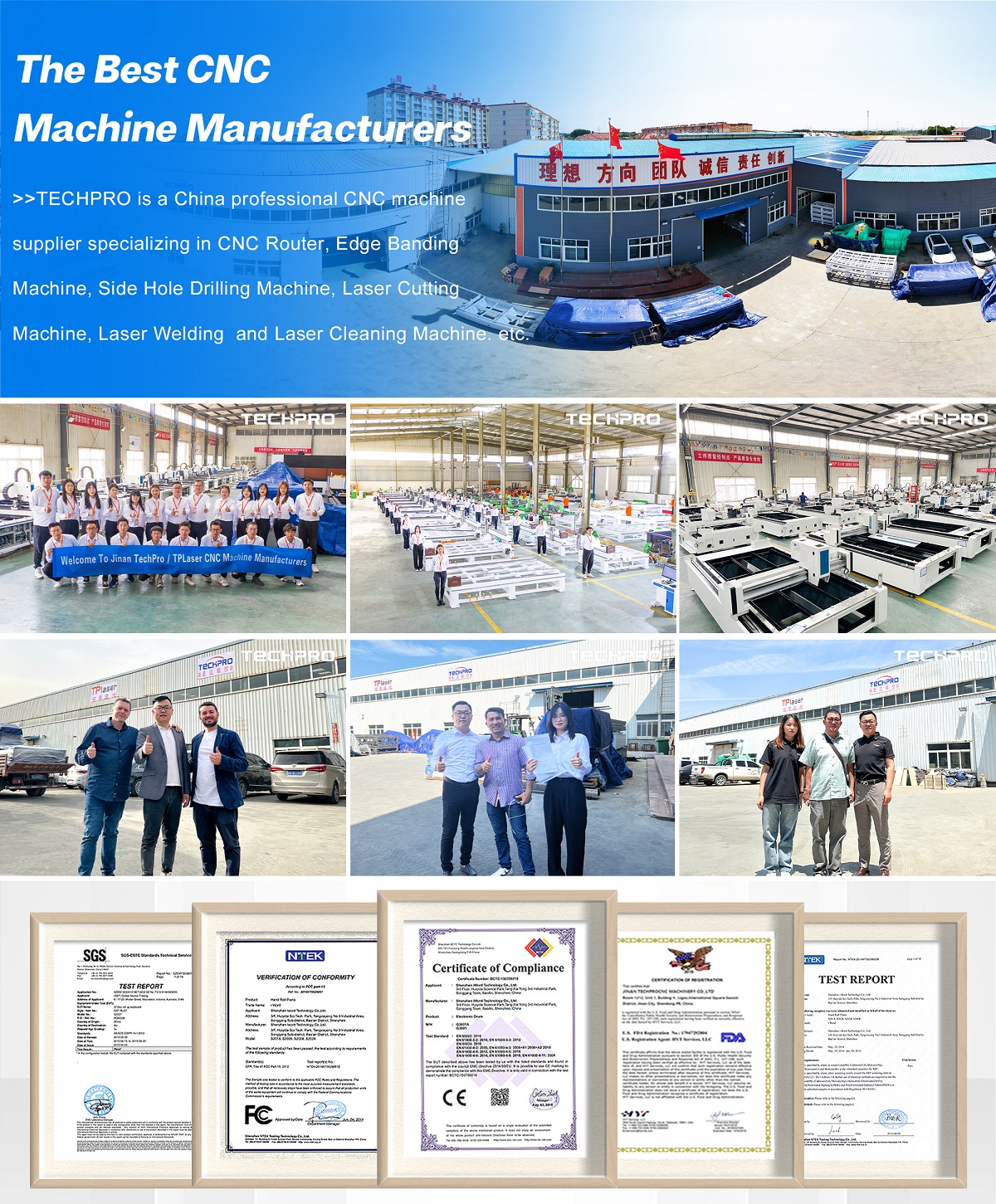
Manufacturer of CNC Wood Router


 English
  Portuguese
  Turkish
  French
  Spanish
  Dutch
Dutch  Vietnamese
  Italian
  Indonesian
  Polish
  Swedish
  Russian
  German
  Danish
  Japanese
  Finnish
  Chinese
  Korean
  Arabic
  Croatian
  Thai
Thai  Hebrew
  Hungarian
  Czech
Czech  Slovak


